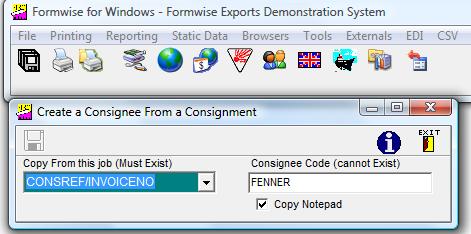
Toolbar - Tools - Create a Consignee from a Job
In a situation where data for jobs is being
transferred from an ERP or sales order processing system, it may be that there is no routine in place to
transfer static consignee data for new customers / consignees. If a job for a
new consignee/customer is read into Formwise there will obviously be large gaps
of export specific data which needs to be completed to allow the consignment to
be despatched. You can now complete the job and produce the necessary
documentation in a timely fashion.
Using this option then allows you to create the static consignee record by
selecting which job from which the data is to be created and then the
appropriate consignee code under which the data is to be held. The consignee
code sent by the ERP system will be the default shown, but it can be overtyped
if necessary.