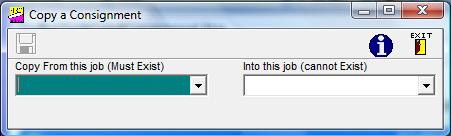
Having selected this option, you will be asked to insert / select the reference of the consignment whose key is to be changed, and then to type in the new reference in the "Into
this job (cannot exist)" box.
You should then click on the "OK" button
-  , which will only appear when you have
selected a consignment key which exists, and given a new consignment reference in the "Into
this job (cannot Exist)" box.
, which will only appear when you have
selected a consignment key which exists, and given a new consignment reference in the "Into
this job (cannot Exist)" box.
, which will only appear when you have
selected a consignment key which exists, and given a new consignment reference in the "Into
this job (cannot Exist)" box.
The new consignment will have its reference as the invoice number and
today's date as the invoice date. It would only be fair to point out
however that we are somewhat unsure of this option as one has to be very careful to edit all the necessary changes from the old consignment.
In order to help please note that the process can be modified not to copy certain fields, and to default fields in the New consignment. Please speak to us on the Support Line to discuss your requirements.