Before using this option you should understand the entry of data into the Case Allocation Tab on the Browse/Amend Consignments option, as this routine allows you to enter a pack with its sizes, weights and product allocation, and create the entered number of records.
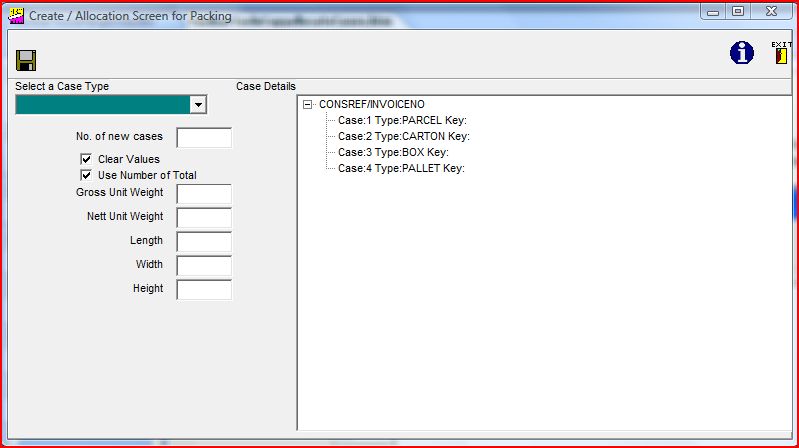
On selecting this option you will then find that the editing of the consignment is locked until you have finished entering data into the screen above. Please note that having selected a consignment to work on and if there are already cases entered, then you can click on the "+" and the existing entries will be displayed:-
This will generate the required records when the
 icon is clicked, and you can view
the data on the case allocation tab.
icon is clicked, and you can view
the data on the case allocation tab.
icon is clicked, and you can view
the data on the case allocation tab.
An alternative view of the static cases / case records/ allocations is available through the options Tools / Case / Products / Allocations, selecting the required Consignment and Open. Click on the "+" if you wish to see the entries in the job.
Next Page: Toolbar - External Options