If you regularly ship hazardous product, then you should have created records in the static hazard file to allow this routine to summarise items of a similar hazard and packing together. This is perhaps best demonstrated by discussing the example of paint, where we wish to summarise cans of the same size, flash point etc but of say different colours into one entry on a dangerous goods note, Equally the products may have differing flash points, be in cans, in spray containers etc.
We need to provide a link between the product and hazard files of the system, and one solution may be that if a product has a flash point of 40C, input to the hazard code field of the product file a code of "1263+40". This code will not print on any documentation, and merely links to a record in the hazard file which has a code of "1263+40" and edit the required shipping description.
As was discussed in the setting up of the static hazard records, you should aim for a hazard code which summarises not only items of the same hazard, but also packed in the same way. To continue the theme above therefore, a hazard code could be "63+404x5", where the 63 shows that it is a
UN1263 product, +40 shows the flashpoint and 4x5 showing that the paint is packed 4x5Litre tins per carton.
In order to check whether the routine has already been run, you can
click on the Control tab and see whether there are weights and whether
the system reports a number of DG items. Ton run the process, with the Browse/Amend/Create consignment option in browse mode (no yellow boxes), the Hazard Allocation routine of the system can be selected via the Hazard icon. on the Consignment Maintenance toolbar, and it is programmed to :-
on the Consignment Maintenance toolbar, and it is programmed to :-
1. look at the first product in a consignment, and check its hazard code
2. merge, from the hazard file, a match of hazard code
3. copy the description held in the hazard file into the consignment, and then
4. summarise the gross weight, nett weight, cube
5. loop to the next item and repeat the whole process
until all product items have been examined
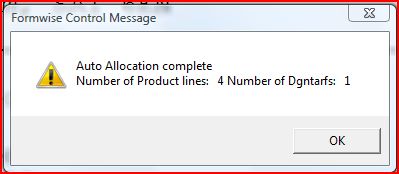
You should therefore finish with a screen showing the number of products the system found in the consignment, and the number of hazard records created. The descriptions can then be edited via the Dangerous Goods by Air or Sea tabs,
usually placed within the Specialist documents tab in Browse/Amend Consignments.
Please note that all the non hazardous product will be summarised into the last item for those who wish to declare both hazardous and non-hazardous on a Dangerous Goods Note. If this is not the way your organisation works, then please go to the last page and delete the last item.
We have designed a number of print routines for Dangerous Goods notes, which we will discuss in more detail later in the tutorial.