This option is used to consolidate items from more than one "consignment" record into a single transaction to produce a single set of paperwork, either for all or part of the paperwork.
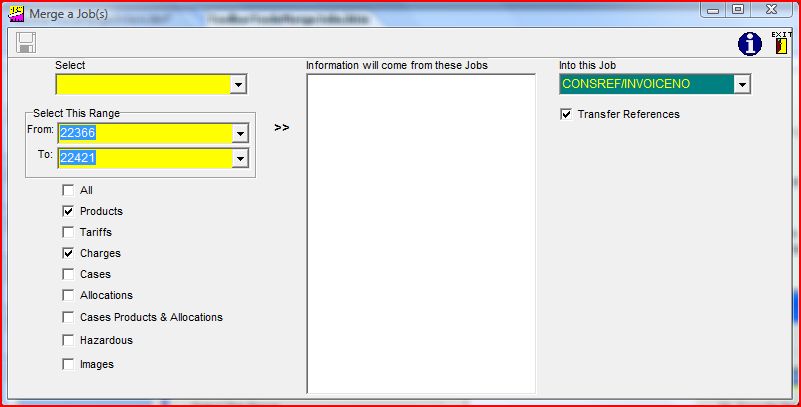
You first have to decide how to choose consignment(s) from which you wish to copy data and move to the central column by
clicking on the appropriate ">>" icon. You can then select either further single or
range options and build a list in the central column.
If you wish to copy all the records, then leave the All ticked, if not remove the tick and then select which items. You may then add further consignments into the central column, and finally select a consignment into which the items are to be merged, by the drop down on the right hand side. Clicking on the merge button will then copy the items
requested.
If you are using Formwise as the company's sales order processing system, and are entering "orders"
as consignments, and wish to use the system to keep track of what items have been allocated to a consignment, then please make use of the alternative option to "Merge Orders", which is the next option on the "Tools" menu. For an explanation please click on the option at the foot of these notes.
N.B. Please note the use of the word copy as the original records are still left in the original consignment, and especially with reporting, in order to stop double reporting values, weights etc., you will need to exclude the consignments from which items have been copied. We have set up these routines to write away a status of "MERGED", into the consignments from which data has been merged, and their report criteria now has to include the criteria, "STATUS not equal to MERGED".