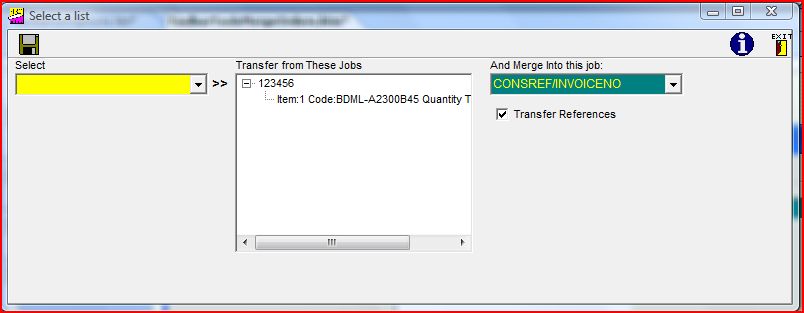
As you can see form the above graphic,
this option is similar to the "Merge Jobs" option, and is only for those users who have no other sales order processing system, and wish to use the Formwise system for that purpose.
The system assumes therefore that you will select a consignment on the left which is the original "order" consignment, and from which you wish to despatch items. Having selected it, and moved it into the centre column by clicking on the ">>" icon, the consignment reference will appear with a "+" icon alongside it. If you click on this you will then be presented with the above, being a list of all the product lines and quantities. If you place the mouse pointer over an item in the list it will display expanded detail about the item as per the graphic above.
You can right-click on any item, and the screen below will be displayed.
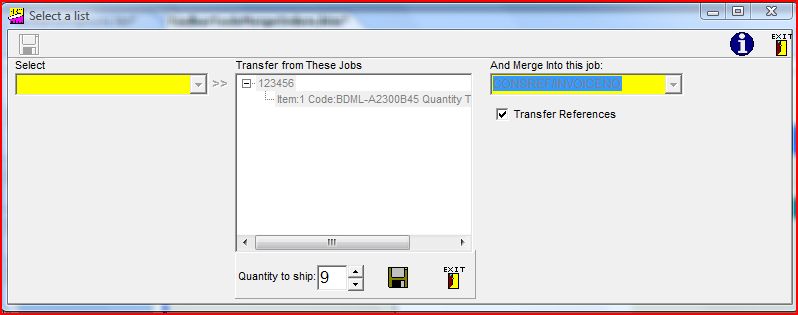
You will
then have the option to amend the quantity to be shipped, and clicking on the Save or Exit buttons. Having selected the consignment into which the items are to be merged, click on the "Accept" icon to perform the merge. The system records the number of items merged in this manner, so the quantity available is the remaining number if items have already been merged from this "order" consignment.
An option to list the products still outstanding is available on the Reports Menu.