CSV (Comma Separated Variable) files are a standard method of transferring data between computer systems and we have developed a suite of programs, not available in the
EASI range of systems, to
1. input initial data to the static or master files of the system,
2. allow the writing, editing and reading of such files to maintain the system, and
3. transfer consignment data for documentary and messaging purposes
Use of these options should cut down on the installation set-up time, the maintenance of the standing data, and the processing and accuracy of consignment data, whilst maintaining systems integrity.
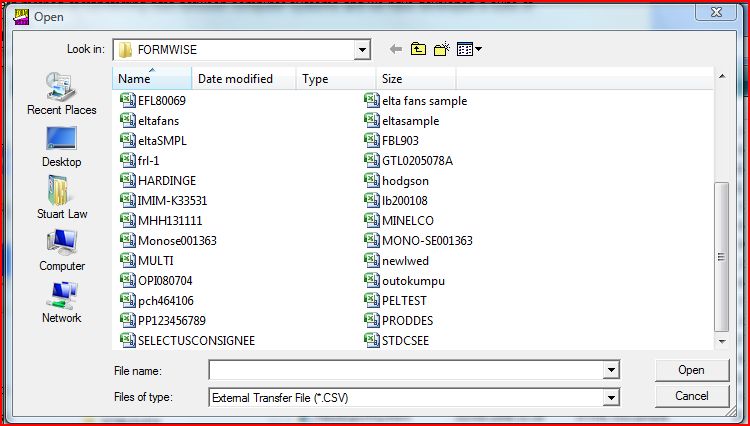
We will start with the "Standard" options which are available for the setup and maintenance of the static data within the Formwise System. The structure of these fields is held on our web-site (www.formwise.co.uk) in the download section in a file called TRANSFER.PDF
This file covers definitions of both a flat file with a field on each
line, However there is another file, SAMPLE CSV TRANSFER FILES.PDF which
covers purely CSV file definitions. The last seven pages of the file define structures for the creation of various transfer files, including a separate file for CSV options,
whereas t
he first three detail options to populate the product, buyer, and consignee static data records.
Creating the three separate files and reading them into Formwise will vastly speed up
the initial setup of the system.
The standard product CSV file consists of a number of fields covering product code,
description, units of quantity, weights, cube, tariff number and, if applicable the Recipe
Code and, hopefully not as well as, Formwise hazard code. If your transfer file for
consignments contains this data then you may not need to worry about configuring this
static product data, but if the transfer file does not hold eg the commodity or hazard
code, then you may need to set up the file.
Within the Miscellaneous coded data, we have supplied country records containing the
declaration, as per Tate Freight Forms Country Data guide, the appropriate HM Customs
Country code, and, where necessary, on a notepad attached stating special where a
declaration exists and whether facsimile signatures are permitted.
The declarations
assume the goods are of United Kingdom origin and may require a certain amount
of editing to ensure that they conform to your organisation's goods. Please note
that it is currently possible to copy data from the on-line guide and you should note that
you could for example copy and paste into Formwise the latest declaration for a specific
country.
There are also records held against the various Incoterms 2010 codes, which contain
the actual terms for printing in the terms of delivery area of the invoice and the nature of
transaction code for Intrastat purposes, as well as some standard shipping instructions
appropriate to those terms. However in all cases the documentation requested is only a
Certificate of Shipment, so you may wish to edit this data as well as the related airfreight
instructions.
You should also set up codes against the 3 digit currency codes with the appropriate
bank account data.
You will need to set up the forwarding agents against codes in the static file.
In addition you will need to set up the data held against the exporter(s) to contain bank
data for the prevalent currency, and you may wish to add a default declaration, for
example "DEUNE" from the Miscellaneous section.
The standard Buyer CSV details obviously contain the account holders code, name and
address. In addition, the country in which the buyer is located, the payment terms and
currency in which you normally do business, the normal export office contact etc. are
stored.
The standard Consignee file will contain the code for this delivery address, the actual
address and country, the buyer code (if different), contact, terms of delivery, cargo
routing, forwarder, the normal export office contact etc.
Given that this data is in place, you are then in a position to read the Buyer CSV file. On
reading the program will merge data held against the appropriate codes for the exporter,
country etc.
Some data entry through the Formwise System is required, in that, under the
Miscellaneous code items, there should have been configured for records the terms of
delivery, country, currency and signatory details. You will also need to have entered data
for the Forwarders
You are now ready to read the Consignee CSV file which will merge the relevant buyer
(and therefore exporter etc.), together with exporter, terms of delivery, invoice
declaration by country, shipping instructions, currency bank details, routing etc.
Following these CSV definitions are alternative formats for the transfer of data from a
sales order processing system.
Finally there is a definition of an Excel spreadsheet which can be given to a customer to
complete his order. On return this can be automatically read into Formwise.
Whilst the files are standard, they are not "set in stone", and the programmes behind the
options are extremely simple for us to amend, so if the file you wish to use is of a
different structure, please forward a sample of the file by email to mike@formwise.co.uk
and we will send an amendment to the program.
The final options on the Writer CSV menu are for the
preparation of transfer files for
DHL's EasyShip software. These routines are in the process of being tested before
launch. Please
contact the Support Line if you wish to use them.
toolbarcsvoptions.htm - 290915