This specialised document is accessed by clicking on Printing then Reporting then By Consignment then Loading List.
The document was requested as a means of producing a list of consignments being shipped together and therefore the print will act exactly like a manifest. The option has to combine the routines of document printing with those of report selection, including criteria, as we may want to log, say in the status field of each consignment, a manifest number so that we can ask the system to print a loading list containing all consignments with a specific invoice date and a status field equal to the manifest number. To do this we would complete the selection print options.
However it may be that you would want to just select which consignments are to be included, and to do that you would need to do the following:-
1. Double click on the background grey of the panel titled Print this Range
and the screen will change to look like the graphic below:-
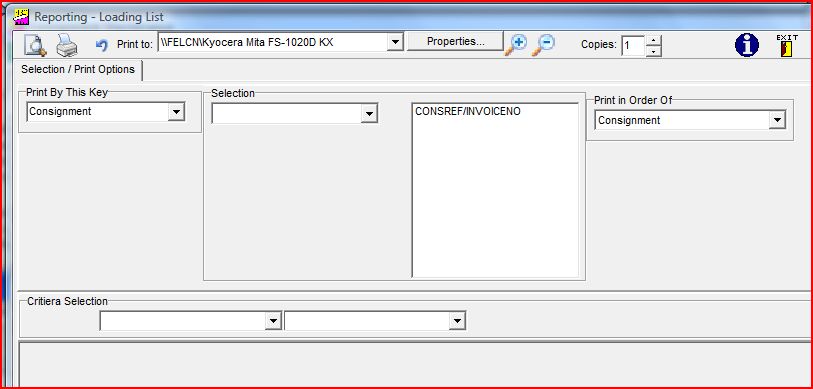
NB If you wish to go back to the other selection panel then click on the Print Toggle button
 .
.
It is still possible to change the key selection and input criteria, but more likely is that you would choose a consignment from the selection drop down, and then move it into
the list panel by using the " " move button. You can then preview and / or print the document.
In order to select a batch of documents with consecutive Keys, you should click on the and select the From and To consignment keys.
" move button. You can then preview and / or print the document.In order to select a batch of documents with consecutive Keys, you should click on the
and select the From and To consignment keys.