This option allows the recording of the "Date Paid" against a multiple of consignments, and is especially useful if you wish to
use the commission reporting
options of the system.
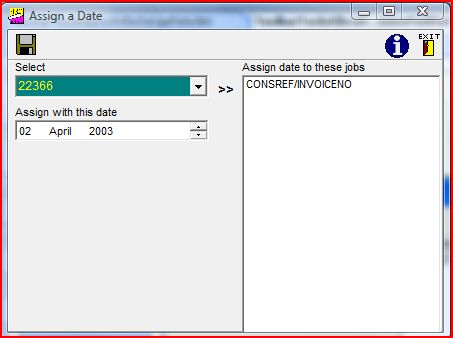
As can be seen from the above example, you should first of all select the appropriate date by clicking into one of the date's three sections, and using the up or down arrows to change the selection. You can then select a consignment and move it into the right hand column by using the ">>" button, and repeat this routine for all consignments for which payment will be recorded as having been received on that date. Clicking on the "Assign" button will ensure that the date paid is duly recorded. If you wish to check the field, it is displayed near the bottom left on the Consignment Status tab of the "Browse/Amend Consignment" screen.